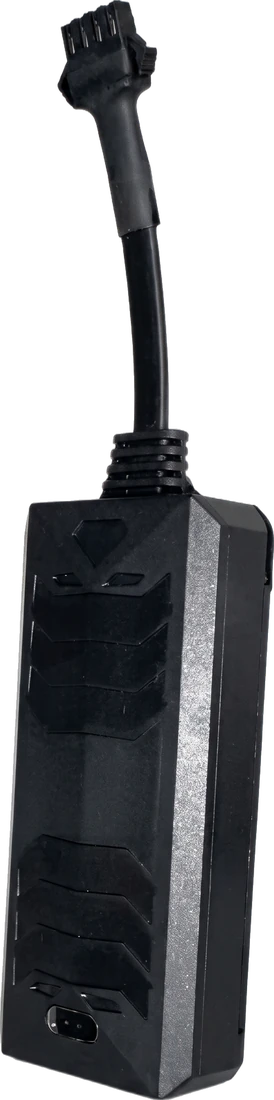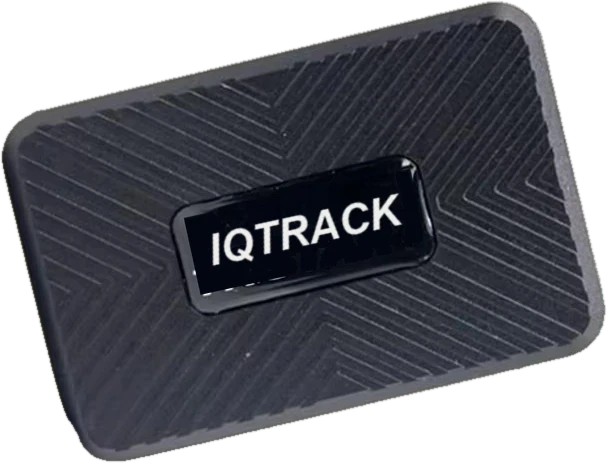
IQTrack Hardwire

Two wires.
That's the whole install.

The Hardwire runs on your vehicle's own power, so it never needs charging. It comes with more wires than IQTrack uses. Only two get connected: red to constant power and black to ground. Any car-audio or remote-start shop does this every day, or follow the steps below.

RedPower (+)Connect to constant power, with the inline fuse kept in the wire.
BlackGround (−)Connect to bare metal on the vehicle's body, or battery negative.
OrangeIgnition sensing (ACC)Not used. Insulate the end.
YellowRelay controlNot used. Insulate the end.
RelayRemote engine cut-offNot used. Leave the relay and its wires in the box.

Find an installer near you

Car-audio, remote-start and auto-electrical shops near your ZIP code. Call ahead and read them the note below.

    What to tell the shop

    Please hardwire this GPS tracker. Red wire to constant 12 V or 24 V power (live with the ignition off), keeping the included inline fuse in the red wire. Black wire to chassis ground. Leave the orange and yellow wires unconnected with their ends insulated, and don't install the relay. Mount it under the dash or behind a panel, not under metal.

    Before you start

    • We recommend a professional. Any car-audio or remote-start shop connects power and ground every day. Find one near you above.
    • Doing it yourself? Read the whole guide first. You'll be working on your vehicle's electrical system: if any step isn't clear, stop and use an installer.
    • It works on 12 V and 24 V vehicles (9–95 V DC): cars, SUVs, trucks, vans and motorcycles.
    • Hybrids and electric vehicles: connect only to the normal 12 V fuse box. Never touch or tap high-voltage cables, which are bright orange. They have nothing to do with the tracker's thin orange wire.
    • Install it in a vehicle you own or are authorized to track.

    What's in the box

    • The tracker, with its On/Off switch under the back cover.
    • The power cable: red, black, orange and yellow wires that plug into the tracker. The red wire has an inline fuse holder with the fuse already in it.
    • A relay with its own green, white and yellow wires. It's for remote engine cut-off, which IQTrack doesn't use. Leave it in the box.
    • The supplier's instruction sheet. It describes text-message commands and relay wiring that don't apply to IQTrack: follow this guide instead.

    Tools and supplies

    • A 12 V test light (or a multimeter) to find a fuse with constant power.
    • A fuse tap (also called an add-a-circuit) that matches your fuses: ATO, mini, low-profile mini or micro2. Pull one fuse and compare it at an auto parts store.
    • A crimp tool and a butt connector (most fuse taps include one), and a ring terminal for the ground bolt.
    • Zip ties, double-sided mounting tape, and electrical tape or heat-shrink.
    • A socket or screwdriver for the ground bolt, a plastic trim tool for panels, and a flashlight.

    Step by step

    1. Plan the routeDecide where the tracker will sit and which fuse box you'll use before you connect anything, and check that the power cable reaches both with some slack.
    2. Pick a mounting spotGood spots: behind the lower dash panel, behind the glove box, inside the center console, or behind a kick panel. The tracker needs a view of the sky through glass or plastic, so not under metal and not in the engine bay. Metallic window film or a heated windshield can weaken the signal. Keep it away from airbags (look for SRS labels and yellow connectors), the pedals, the steering column, heater ducts and anything that moves.
    3. Switch the tracker onOpen the back cover and slide the switch to On (left). Leave the power cable unplugged for now.
    4. Find the interior fuse boxIt's usually at the end of the dashboard, under the steering column or behind the glove box. The owner's manual has a map of it and the lid often has a fuse puller.
    5. Find a fuse with constant powerTurn the vehicle fully off and take the key out (with push-button start, turn it off and close the doors). Clip the test light to bare metal and touch the probe to the two test points on top of each fuse. You want one that lights the test light with the vehicle off, and still does with the ignition on. Interior light, power lock and hazard light fuses often work, but every vehicle is different: always test.
    6. Fuses never to useAirbag (SRS), ABS or brakes, the engine computer (ECU / PCM), fuel pump or ignition. Also skip fuses that only have power with the key on: the tracker would switch off every time you park.
    7. Fit the fuse tapPull the fuse you chose, put it in the fuse tap's own slot as the tap's instructions show, and push the tap into the empty space. Use the test light to confirm the tap's wire has power with the vehicle off.
    8. Connect redCrimp the fuse tap's wire to the tracker's red wire. Keep the inline fuse holder and its fuse in the red wire. Never replace it with a bigger fuse or bypass it.
    9. Connect blackFit a ring terminal to the black wire and bolt it to bare metal on the vehicle's body: a factory ground bolt under the dash, often with other black wires on it, is ideal. Scrape away any paint under the terminal and tighten it firmly. Not to plastic or a painted bracket.
    10. Insulate the unused wiresWrap the ends of the orange and yellow wires separately with electrical tape or heat-shrink so they can't touch metal or each other, then tie them back. The relay stays in the box.
    11. Plug it inPlug the power cable into the tracker; its light comes on. Give it a few minutes to connect and find its first GPS fix. That's faster with the vehicle parked outdoors.
    12. Add it in the appIn the IQTrack app, open the Devices tab, tap +, scan the barcode on the tracker's label and tap Activate. Your plan starts at that moment.
    13. Test before you close the panelsTake a short drive and check the position moves on the map. Then turn the vehicle off and wait 15 minutes: the app's Last ping should keep updating every few minutes. If it stops when the vehicle is off, the red wire is on a fuse that only has power with the key on. Move it to a constant one.
    14. Mount and tidy upFix the tracker with double-sided tape and a zip tie so it can't rattle loose. Run the cable along existing wiring, away from the pedals, the steering column and anything hot or moving, and make sure no panel pinches it. Put the panels and the fuse box cover back on.
    15. Choose a tracking modeOn vehicle power, battery life isn't a concern: Performance (the default) or Live Adaptive for the most detailed trips. Change it any time in Device Settings.

    Good to know

    • Like a dash cam or an alarm, the tracker draws a small amount of power while the vehicle is off. If the vehicle will sit unused for weeks, keep its battery on a maintainer or switch the tracker off under its back cover.
    • If the vehicle's battery is disconnected or goes flat, the tracker's small backup battery keeps it reporting for a short while, then it goes offline until power returns.
    • Moving it to another vehicle: switch it off, unplug the power cable, remove the fuse tap and put the original fuse back in its slot, then install it in the new vehicle with these same steps.

    Troubleshooting

    No light at all
    Check the switch under the back cover is On (left), the fuse in the red wire's holder is intact, the fuse tap has power with the test light, and the black wire is bolted to bare metal.
    It goes offline every time the vehicle is off
    The red wire is on a fuse that only has power with the key on. Move the fuse tap to a fuse that has power with the vehicle fully off.
    No position in the app after 15 minutes outdoors
    It can't reach the cellular network or can't see the sky. Move it out from under metal, and check in the app that the tracker's service is active.
    The position looks wrong or jumps around
    It can't see the sky well. Move it so there's glass or plastic, not metal, between it and the sky.
    The fuse keeps blowing
    A wire is shorting to metal: look for a pinched or scraped red wire. Fix the wiring; never fit a bigger fuse.
    The vehicle's battery went flat
    Usually a vehicle that sat for a long time. Use a battery maintainer, or switch the tracker off while the vehicle is stored. Still stuck? Email support@iqtrackgps.com.

    Questions before you start? Email support@iqtrackgps.com.

    The lineup

    Four trackers.
    One question: how long?

    Every IQTrack does the same job — live location, geofences, history. Pick by how long it runs between charges. Tap any tracker for the full story.
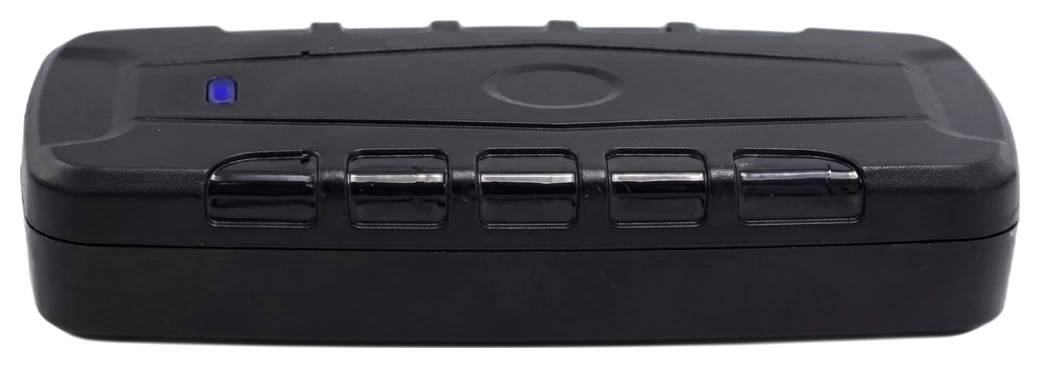
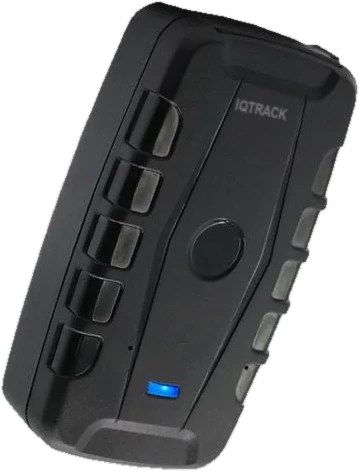
    IQTrack Small compact magnetic GPS tracker

    Small

    0.8 in thick · 2.2 × 1.4 in
    • ≈ 4 days to 3 weeks per charge
    • Pocket-small, built-in magnet
    • Moves between cars, bags and gear
    $154.99tracker + SIM · plus service
    Shop Small
    IQTrack Medium slim magnetic GPS tracker

    Medium

    1.1 in thick · 4.7 × 2.6 in
    • ≈ 16 days to 3 months per charge
    • Slim magnetic case
    • The everyday car or truck
    $204.99tracker + SIM · plus service
    Shop Medium
    IQTrack Hardwire wired GPS tracker

    Hardwire

    0.7 in thick · 3.3 × 1.5 in
    • Always on, runs on vehicle power
    • Two wires into 12 V or 24 V vehicle power
    • Never needs charging
    $184.99tracker + SIM · plus service
    Shop Hardwire

    // runtime estimates assume ~1 hr of driving per day, from Live Adaptive, the most detailed mode, to Power Saving, which sleeps whenever the vehicle is parked — see battery & update rates

    Service pricing

    One plan.
    Two ways to pay for it.

    The tracker and its SIM are a one-time purchase ($154.99–$264.99 depending on battery). Service is what keeps it on the network and in your app — and it's the same service either way you buy it.

    Monthly

    $19.99/mo

    Billed monthly. Stop whenever you like.

    • Every feature on this page
    • 5-second updates while moving
    • Unlimited geofences and alerts
    • Full trip history
    • Cancel in the app, one tap
    Choose a tracker
    SAVE $47.88

    Annual

    $192/yr

    $16.00 a month — nearly two and a half months you don't pay for.

    • Everything in Monthly
    • One payment, one renewal a year
    • We warn you before the card is charged
    • Renews a day early so cover never gaps
    • Cancel in the app, one tap
    Choose a tracker

    No activation fee, no cancellation fee, no contract, and no speed tiers — a $19.99 tracker updates exactly as fast as any other one we sell. Service is required for the tracker to report; it pays for the cellular data and the servers your location goes to, which are ours. Let service lapse for more than 60 days and the carrier retires the SIM; a replacement is $25, shipping included.